
Amazon Basics 4-Pack 23A Alkaline Battery, 12 Volt, Long-Lasting Power, for Key Fobs and Garage Door Openers
- IN THE BOX: 4-pack of 23A alkaline batteries for powering small electronic devices
- DEVICE COMPATIBLE: Ideal for keyless entry devices, key fobs, garage door openers, remote controls, toys, and more
- DURABLE: heavy duty casing for reliable strength and safety
- DESIGNED TO LAST: High capacity functionality for longevity, shelf life, and power delivery
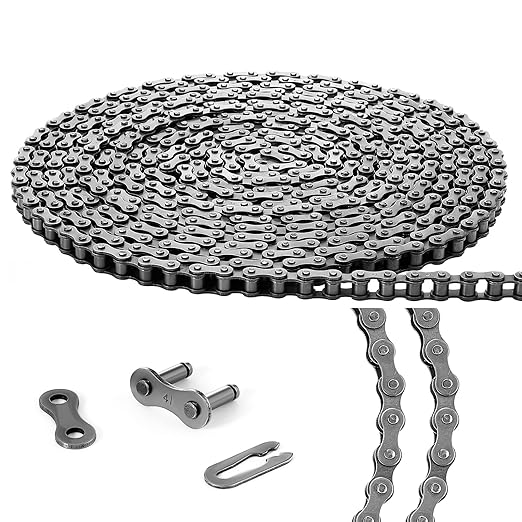
Tandefio #41 20 ft Roller Chain for Gate Openers Carbon Steel Operator Chain with 2 Connecting Links for Extension Replacement
- Nice Size: with standard US chain size #41, our roller chain for electric gate openers is about 20 ft in.
- Strength and Stability: crafted from robust carbon steel, our gate operator chain ensures durability.
- Versatile for Multiple Occasions: our roller chain with 2 connecting links is exceptional for a wide range.
- Predesigned for Efficiency: our garage door opener chain features prestressed, pre stretched design.
Tandefio #428 20 ft Roller Chain for Gate Openers Carbon Steel Operator Chain with 2 Connecting Links for Extension Replacement
- Nice Size: with standard US chain size #428, our roller chain for electric gate openers is about 20 ft in.
- Strength and Stability: crafted from robust carbon steel, our gate operator chain ensures durability.
- Versatile for Multiple Occasions: our roller chain with 2 connecting links is exceptional for a wide range.
- Predesigned for Efficiency: our garage door opener chain features prestressed, pre stretched design.
A garage door that stops short of the floor or reverses after hitting the ground usually means the opener's travel limits are miscalibrated. These settings tell the opener exactly how far to open and close the door. Incorrect settings can cause frustrating malfunctions, compromise security, and even strain the opener motor over time. Fortunately, adjusting these limits is a common DIY fix that can save you a service call.
What Are Garage Door Opener Limit Settings?
Garage door opener limit settings define the door's full open and full closed positions. Think of them as the electronic or mechanical markers that signal the opener motor to stop. There are two main limits: the up-travel limit and the down-travel limit.
- Up-Travel Limit: This setting determines how high the garage door opens. If set too low, the door will not fully clear the opening, potentially obstructing taller vehicles. If set too high, the motor might strain against the track or ceiling, leading to premature wear.
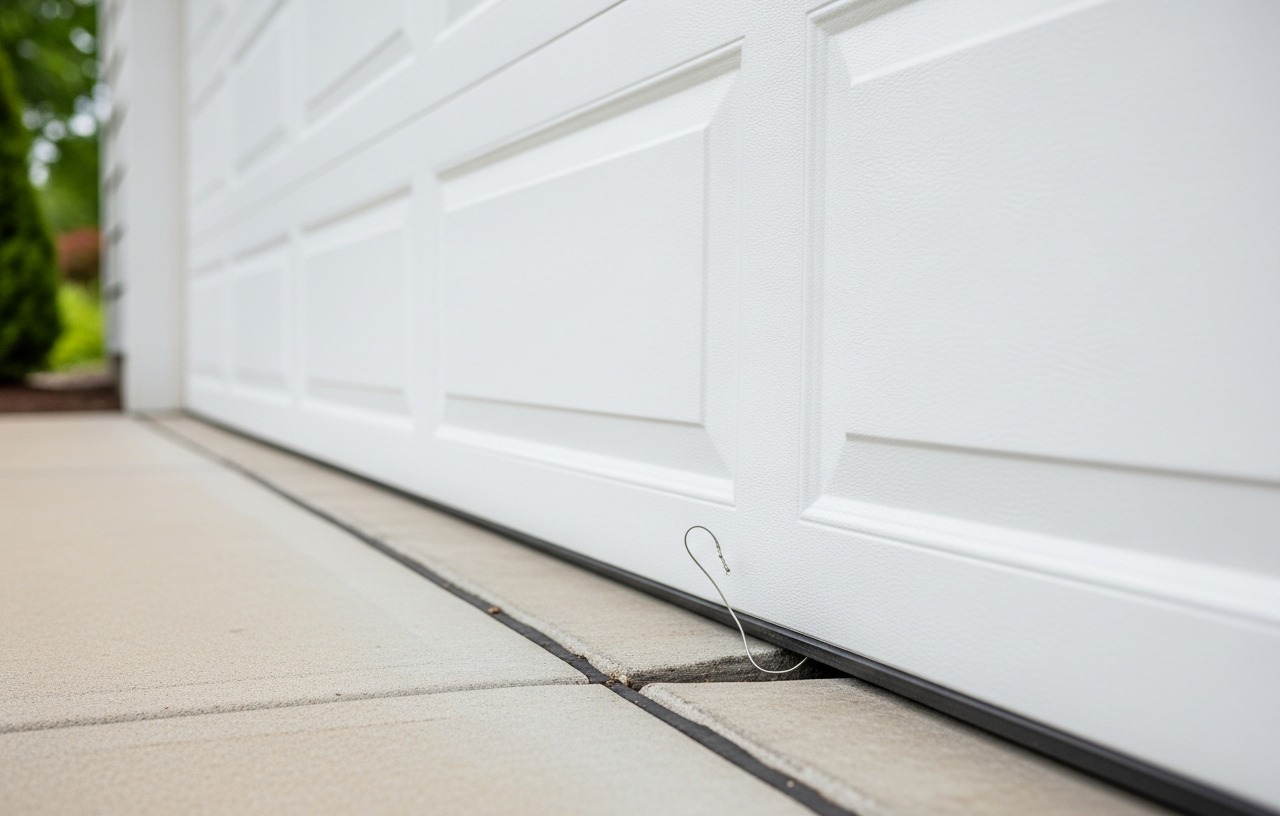
- Down-Travel Limit: This setting dictates how far the garage door closes. If set too high, the door will leave a gap at the bottom, compromising security and energy efficiency. If set too low, the door will forcefully hit the ground, causing it to reverse due to the safety mechanism, or put excessive strain on the entire system.
Proper garage door opener travel adjustment ensures the door moves smoothly to its intended positions without unnecessary force or stopping prematurely.
Why Do Limit Settings Go Out of Adjustment?
Several factors can cause your garage door opener limit settings to drift over time. Age and regular use are primary culprits, as components can wear or shift slightly. Temperature fluctuations can also affect the door's materials, causing expansion or contraction that alters its travel path. Changes in spring tension, even minor ones, can impact how easily the door moves, thereby affecting the perceived travel limits. Sometimes, a power surge or outage can reset the opener's memory, necessitating a full reprogramming of the limits. Understanding these causes helps in diagnosing the problem quickly.
Common Symptoms of Incorrect Limit Settings
The door will exhibit one or more of these common behaviors:
- Door Not Opening Fully: The door stops several inches or even a foot short of its fully open position. This can be annoying and inconvenient, especially for taller vehicles.
- Door Not Closing Fully (Leaving a Gap): The door descends but leaves a noticeable gap between the bottom edge and the garage floor. This compromises security and allows drafts, insects, and debris into your garage.
- Door Reversing Immediately After Touching the Floor: This is a common safety feature response. If the down-travel limit is set too low, the door senses an obstruction (the floor) and reverses to prevent damage or injury. While a safety feature, it indicates an improper limit setting.
- Motor Straining or Making Unusual Noises: You might hear the motor working harder than usual, or a grinding noise, as it attempts to push the door beyond its mechanical stops or pull it too far. This strain can reduce the lifespan of your opener.
- Door Stopping and Restarting: In some cases, the door might stop mid-travel and then resume, indicating confusion in its programming or sensing mechanisms related to the limits.
Safety First: Before You Begin
Working with garage doors can be dangerous due to the heavy weight of the door and the powerful springs. Always prioritize safety. Disconnecting power to the opener is essential before making any physical adjustments to the door or opener unit.
Before touching any part of your garage door opener, pull the emergency release cord to disconnect the door from the opener. This allows you to manually operate the door and confirms it is properly balanced. A balanced door should stay put when lifted halfway open. If it springs up or slams down, you may have broken garage door springs, which require professional attention before attempting any opener adjustments.
Never attempt to adjust limit settings if you suspect a spring issue. Garage door springs are under extreme tension and can cause severe injury if mishandled. Always keep hands and clothing clear of moving parts when testing the door.
Tools and Materials Needed
You will need a few basic tools for this task:
- A sturdy stepladder or extension ladder
- Flathead screwdriver
- Phillips head screwdriver
- A work light (optional, but helpful for visibility)
- Pen and paper (for noting initial settings or steps)
step by step: Adjusting Garage Door Opener Limit Settings
The process for garage door opener limit adjustment varies slightly depending on whether your opener uses mechanical (screw-based) or electronic (button-based) controls. Most modern Chamberlain garage door opener limit adjustment and LiftMaster garage door opener travel adjustment models use electronic controls, while many older Genie garage door limit adjustment units feature mechanical screws.
1. Disconnect the Opener and Inspect the Door
First, unplug your garage door opener from the electrical outlet. This prevents accidental activation during your work. Next, pull the red emergency release cord to disengage the door from the opener trolley. Manually open and close the door a few times. The door should move smoothly and stay in place when left halfway open. If it feels heavy, sticks, or slams, the problem might be with the springs or tracks, not the limit settings. Address those issues first, as adjusting limits on a poorly balanced door can lead to further problems.
2. Identify Your Opener's Adjustment Type
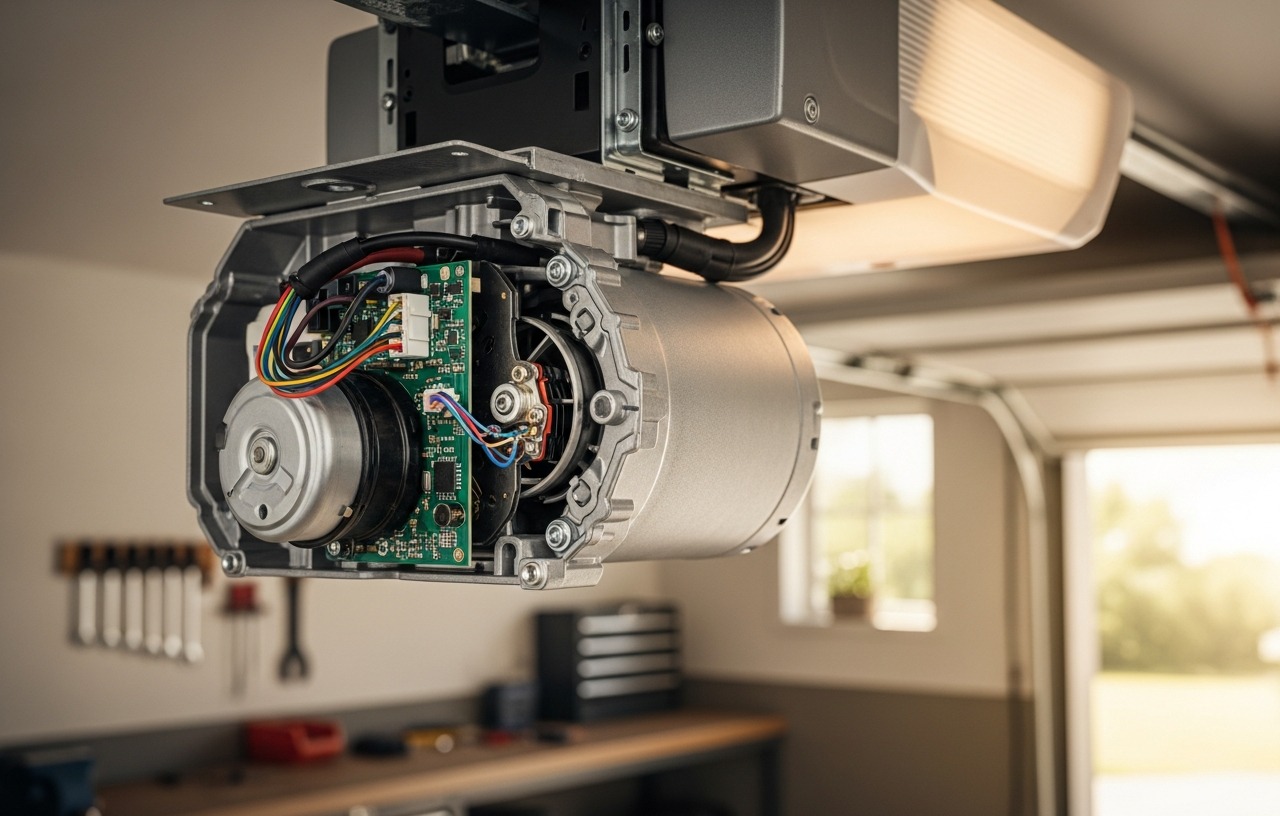
Look at the side or back of your garage door opener motor head. You will typically find either two adjustment screws (mechanical) or a series of buttons (electronic).
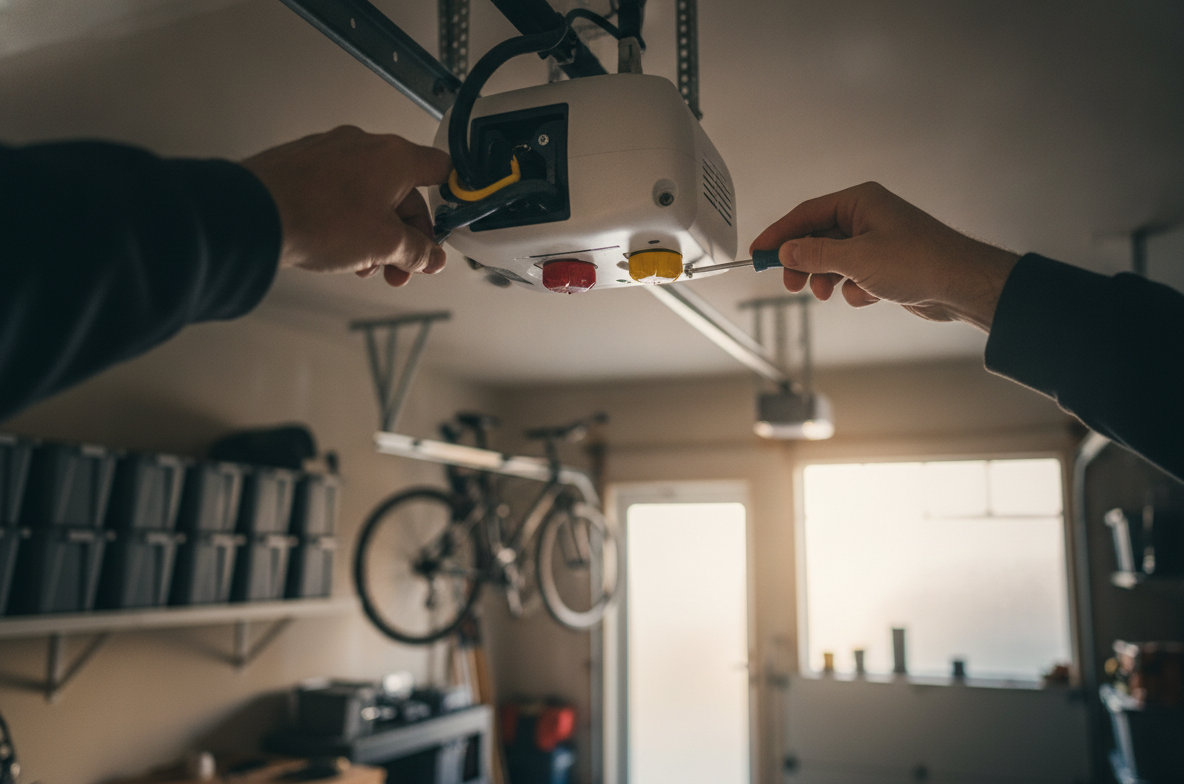
- Mechanical Adjustment: These openers have two distinct screws, often labeled 'Up' and 'Down' or with arrows indicating travel direction. They might be colored differently or have specific markings. Older Genie garage door limit adjustment models often use these.
- Electronic/Digital Adjustment: Newer models, including many Chamberlain and LiftMaster garage door opener travel adjustment units, feature 'Program', 'Learn', 'Set', or 'Force' buttons, along with 'Up' and 'Down' arrow buttons. The LiftMaster 8500 limit adjustment, a popular jackshaft model, also uses electronic buttons.
3. Perform Mechanical Limit Adjustment (Screw-Based)
If your opener has adjustment screws, follow these steps:
- Locate the Screws: Find the 'Up' and 'Down' travel limit screws on the opener's motor head. They are usually located near each other.
- Identify Direction of Adjustment: Turning the 'Down' travel screw clockwise typically increases the down travel distance (door goes further down), while turning it counter-clockwise decreases it. The 'Up' travel screw works similarly for the open position. Some openers may have different directions, so consult your owner's manual if unsure.
- Reconnect Power: Plug the opener back in.
- Adjust Down-Travel Limit: Run the door down. If it reverses too soon, turn the 'Down' screw a quarter turn clockwise. If it leaves a gap, turn it a quarter turn counter-clockwise. Test the door after each small adjustment. Repeat until the door closes firmly without reversing.
- Adjust Up-Travel Limit: Run the door up. If it doesn't open fully, turn the 'Up' screw a quarter turn clockwise. If it strains at the top, turn it counter-clockwise. Test the door after each small adjustment. Repeat until the door opens completely without straining.
- Test Safety Reversal: Once limits are set, place a 2x4 piece of wood flat on the floor in the path of the door. The door must reverse upon contact. If it does not, your safety reversal mechanism is not working correctly, and the opener needs repair or replacement. Do not use the door until this is fixed.
4. Perform Electronic/Digital Limit Adjustment (Button-Based)
For electronic garage door travel limit adjustment, the steps are more about programming sequences:
- Clear Existing Settings (Optional but Recommended): For many Chamberlain garage door opener limit adjustment and LiftMaster garage door opener travel adjustment models, you can hold down the 'Learn' or 'Program' button until the LED light turns off and then on again, indicating a reset. Refer to your specific model's manual for exact instructions.
- Set the Down-Travel Limit:
- Press and hold the 'Program' or 'Learn' button until the LED light begins to flash or changes color.
- Use the 'Down' arrow button to slowly move the door to its desired closed position. The door should gently touch the floor without crushing anything.
- Press the 'Program' or 'Set' button again to save the down limit. The LED will usually flash rapidly or change color to confirm.
- Set the Up-Travel Limit:
- Immediately after setting the down limit, the opener will usually prompt you to set the up limit (often by flashing a different LED or the 'Up' arrow).
- Use the 'Up' arrow button to move the door to its desired fully open position. Make sure it clears the opening completely without hitting the header or straining.
- Press the 'Program' or 'Set' button one last time to save the up limit. The LED will typically stop flashing or turn solid.
- Test and Cycle: Run the door through a full open and close cycle at least two to three times. Observe its movement. Make sure it stops precisely at the floor and fully open without reversing prematurely or straining.
- Test Safety Reversal: Just like with mechanical openers, place a 2x4 piece of wood flat on the floor in the door's path. The door must reverse upon contact. If it does not, your safety reversal mechanism is malfunctioning. Fix this immediately before using the door.
Specific models, like the LiftMaster 8500 limit adjustment, may have unique programming sequences. Always check your owner's manual for precise steps. If you need to program a garage door opener, the limit setting process is often integrated into the initial setup.
5. Test and Fine-Tune
After making adjustments, cycle the door several times. Watch closely to make sure it opens and closes smoothly. Listen for any unusual sounds. If the door still reverses prematurely, or leaves a gap, repeat the relevant adjustment steps. Minor tweaks are often necessary to get the settings just right. Remember to always perform the safety reversal test with an object on the floor after any adjustments to the down-travel limit.
When to Call a Professional
While adjusting garage door opener limit settings is often a DIY task, there are times when professional help is necessary. If you have followed these steps carefully and the problem persists, or if you encounter other issues such as a garage door opener not working at all, it's time to call a qualified technician. Complex electrical issues, problems with the circuit board, or severely damaged mechanical components are best handled by experts. Additionally, if the door itself is unbalanced due to broken springs or damaged cables, a professional should address these dangerous components first.
The cost of professional garage door opener repair can vary. If the issue is a simple limit adjustment that you couldn't solve, the total cost might be closer to $150-$250, including labor. More complex repairs, such as replacing a motor or circuit board, can run from $250-$500 or more, not including parts. Always get a clear quote before any work begins.
Maintaining Your Opener for long term Performance
Regular maintenance can prevent limit setting issues and extend the life of your garage door opener. Periodically check the balance of your door and lubricate moving parts according to manufacturer recommendations. Test the safety reversal feature monthly. Also, remember to replace the batteries in your garage door remotes and key fobs when they start to weaken. Products like the Amazon Basics 4-Pack 23A Alkaline Battery, 12 Volt, provide long-lasting power for these small electronic devices, ensuring your remote controls work reliably.
Properly adjusted garage door opener limit settings are fundamental to a safe, efficient, and long-lasting garage door system. By understanding the mechanics and following these steps, you can confidently troubleshoot and resolve many common operational issues yourself, keeping your garage door in top working order.
Amazon Basics 4-Pack 23A Alkaline Battery, 12 Volt, Long-Lasting Power, for Key Fobs and Garage Door Openers
- IN THE BOX: 4-pack of 23A alkaline batteries for powering small electronic devices
- DEVICE COMPATIBLE: Ideal for keyless entry devices, key fobs, garage door openers, remote controls, toys, and more
- DURABLE: heavy duty casing for reliable strength and safety
- DESIGNED TO LAST: High capacity functionality for longevity, shelf life, and power delivery
Tandefio #41 20 ft Roller Chain for Gate Openers Carbon Steel Operator Chain with 2 Connecting Links for Extension Replacement
- Nice Size: with standard US chain size #41, our roller chain for electric gate openers is about 20 ft in.
- Strength and Stability: crafted from robust carbon steel, our gate operator chain ensures durability.
- Versatile for Multiple Occasions: our roller chain with 2 connecting links is exceptional for a wide range.
- Predesigned for Efficiency: our garage door opener chain features prestressed, pre stretched design.
Tandefio #428 20 ft Roller Chain for Gate Openers Carbon Steel Operator Chain with 2 Connecting Links for Extension Replacement
- Nice Size: with standard US chain size #428, our roller chain for electric gate openers is about 20 ft in.
- Strength and Stability: crafted from robust carbon steel, our gate operator chain ensures durability.
- Versatile for Multiple Occasions: our roller chain with 2 connecting links is exceptional for a wide range.
- Predesigned for Efficiency: our garage door opener chain features prestressed, pre stretched design.